Golf Pad Click has three button gestures: single click, double click and triple click. You can assign a different action to each one based on how you play.
Triple click needs Golf Pad app version 22.7.3 or newer. If you only see single and double click, update the app.
Default actions
- Single click: AI Caddie Advice
- Double click: Track shot/putt (auto)
- Triple click: Distance to front, middle and back of the green
Set your actions
- Open Preferences > Golf Pad Click.
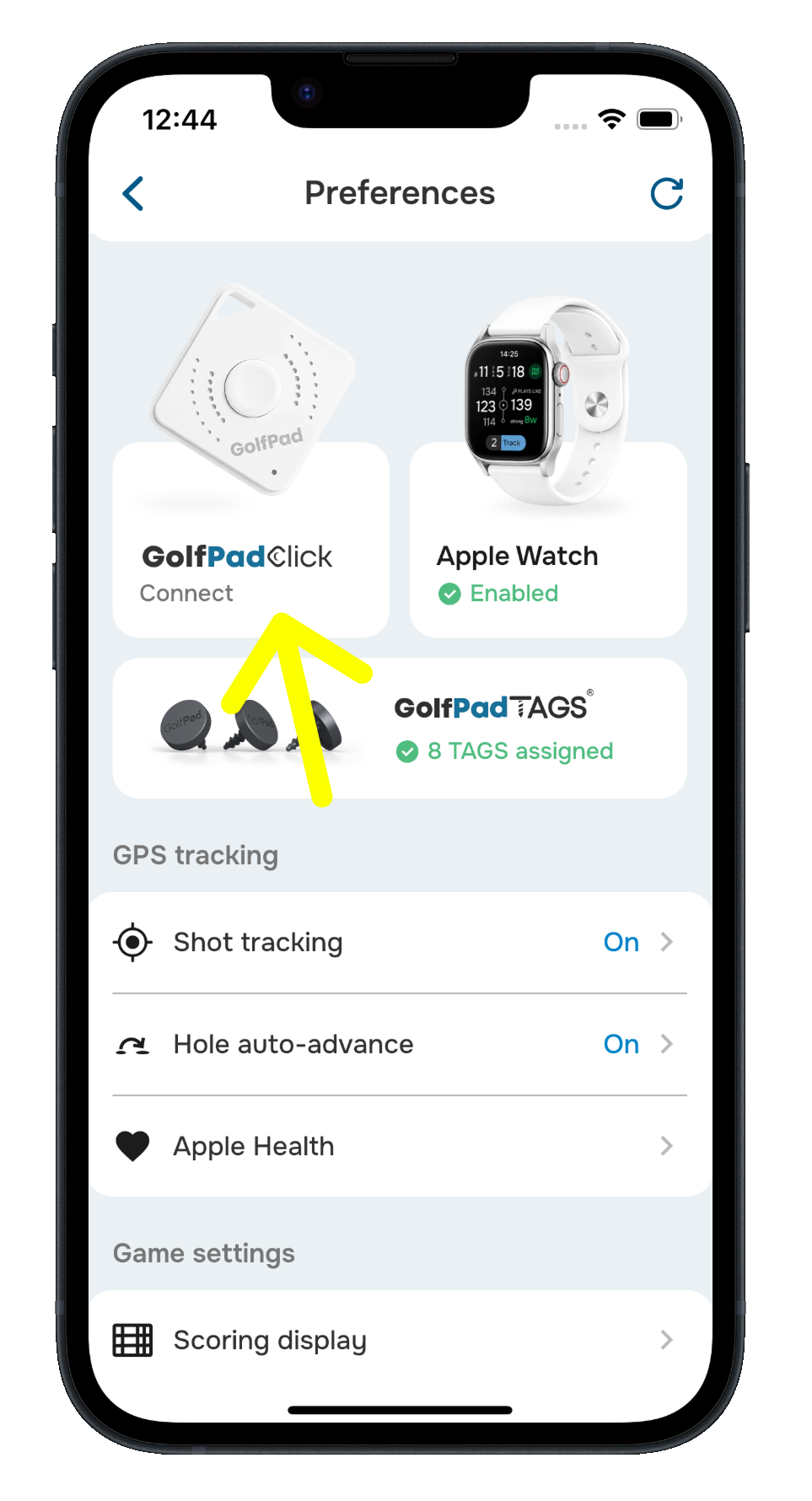
- Under Actions, tap Single click and choose your preferred action.
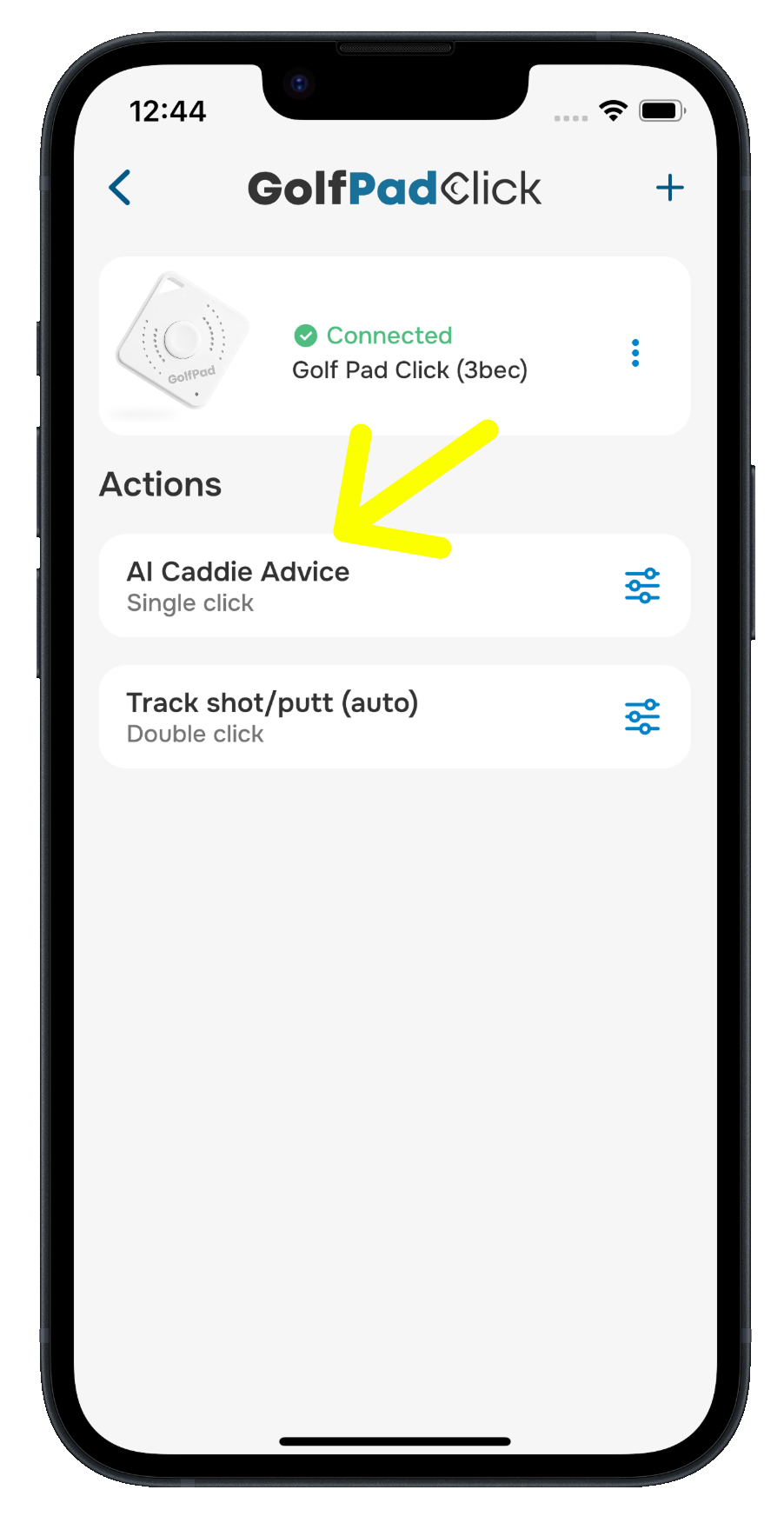
- Tap Double click and choose your preferred action.
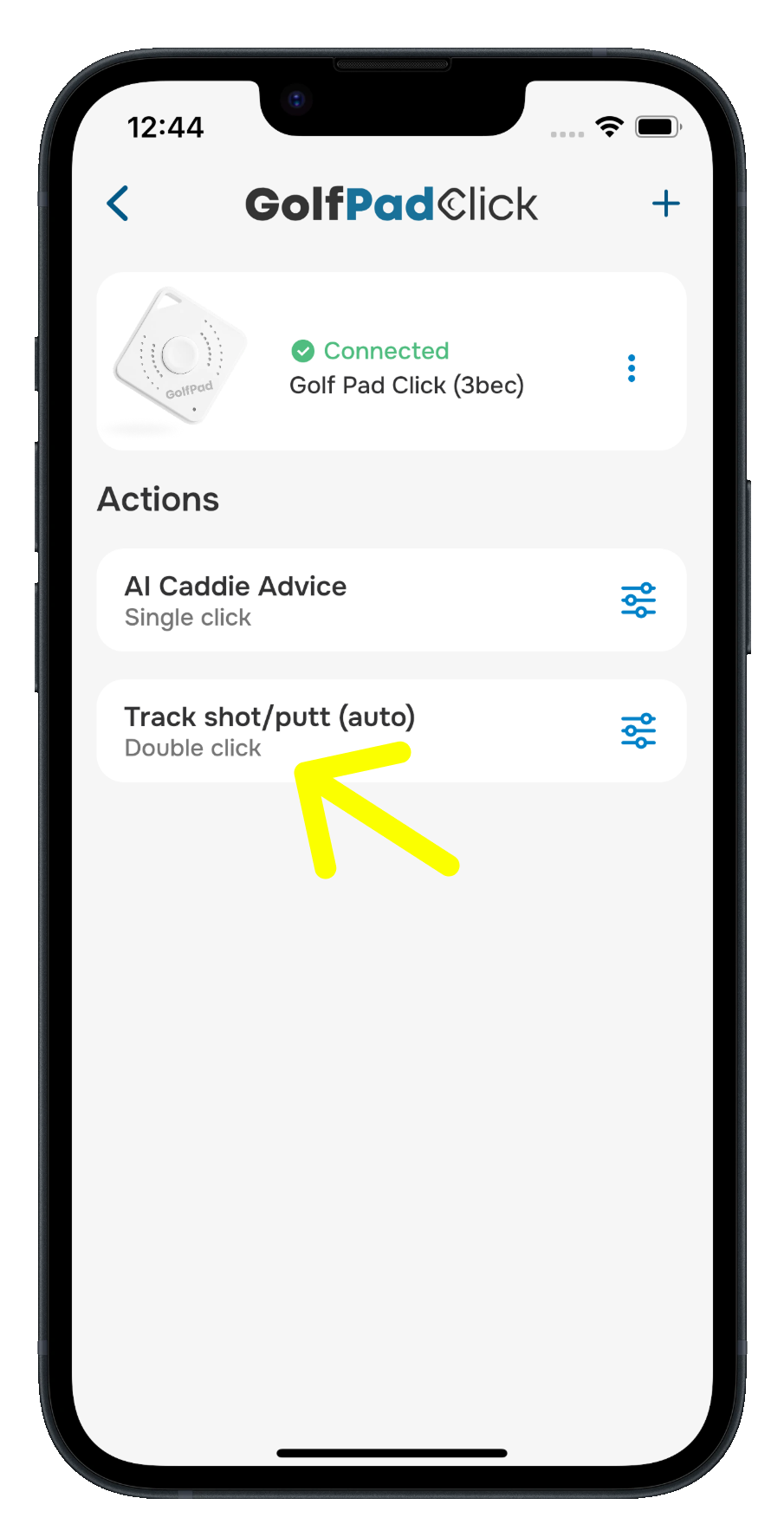
- Tap Triple click and choose your preferred action.
- Your choices are saved and ready for your next round.
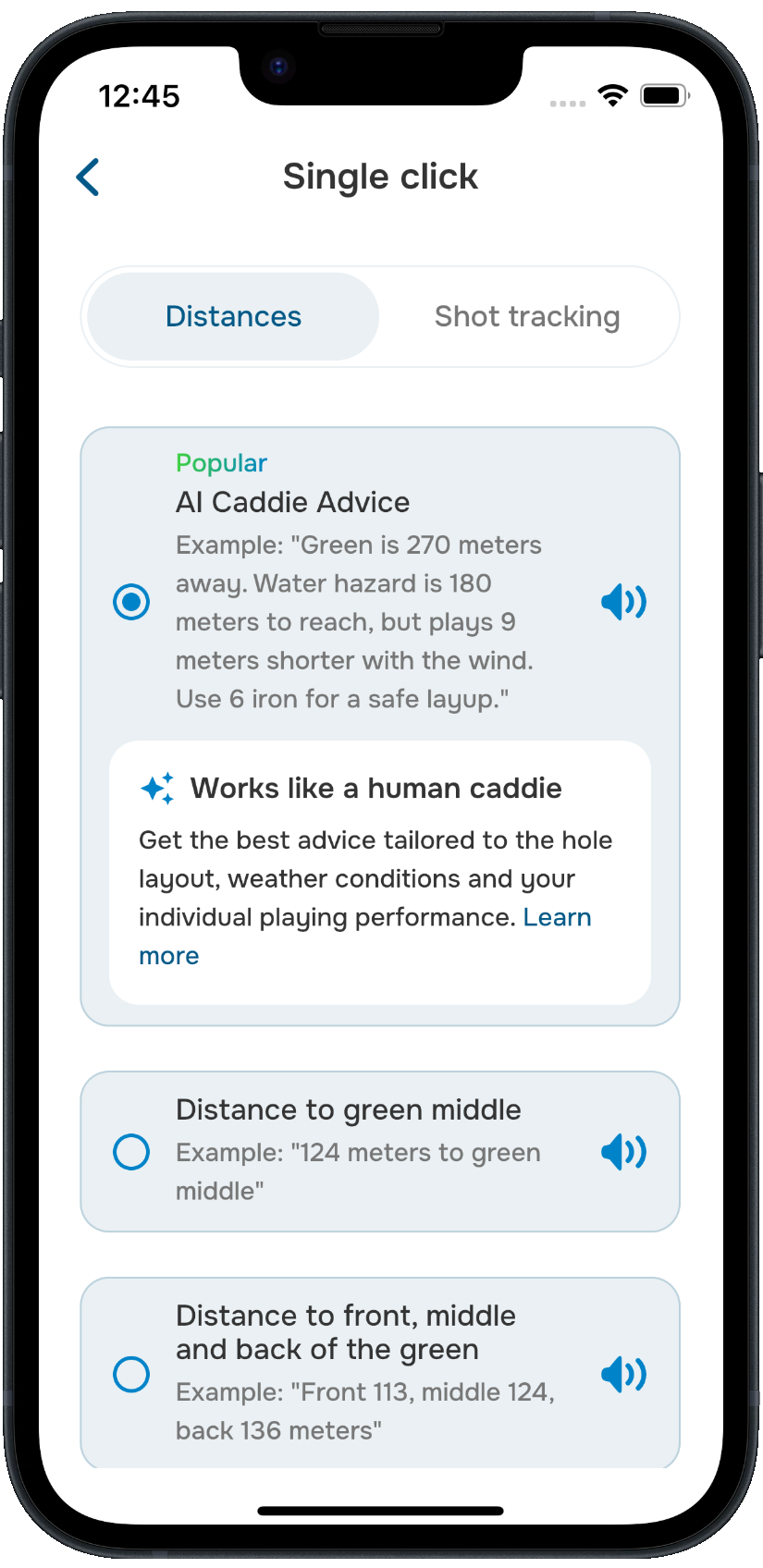
Each action comes with a short example you can play to hear what Click will say. If an action is already assigned to another gesture, you'll see Used for next to it.
When you press the button, Golf Pad announces the result out loud through your connected audio device.
Available actions
AI Caddie Advice (Premium, the popular choice): works like a human caddie, giving you advice tailored to the hole layout, weather conditions and your individual playing performance. Near the green, it simply tells you the distance to the middle of the green.
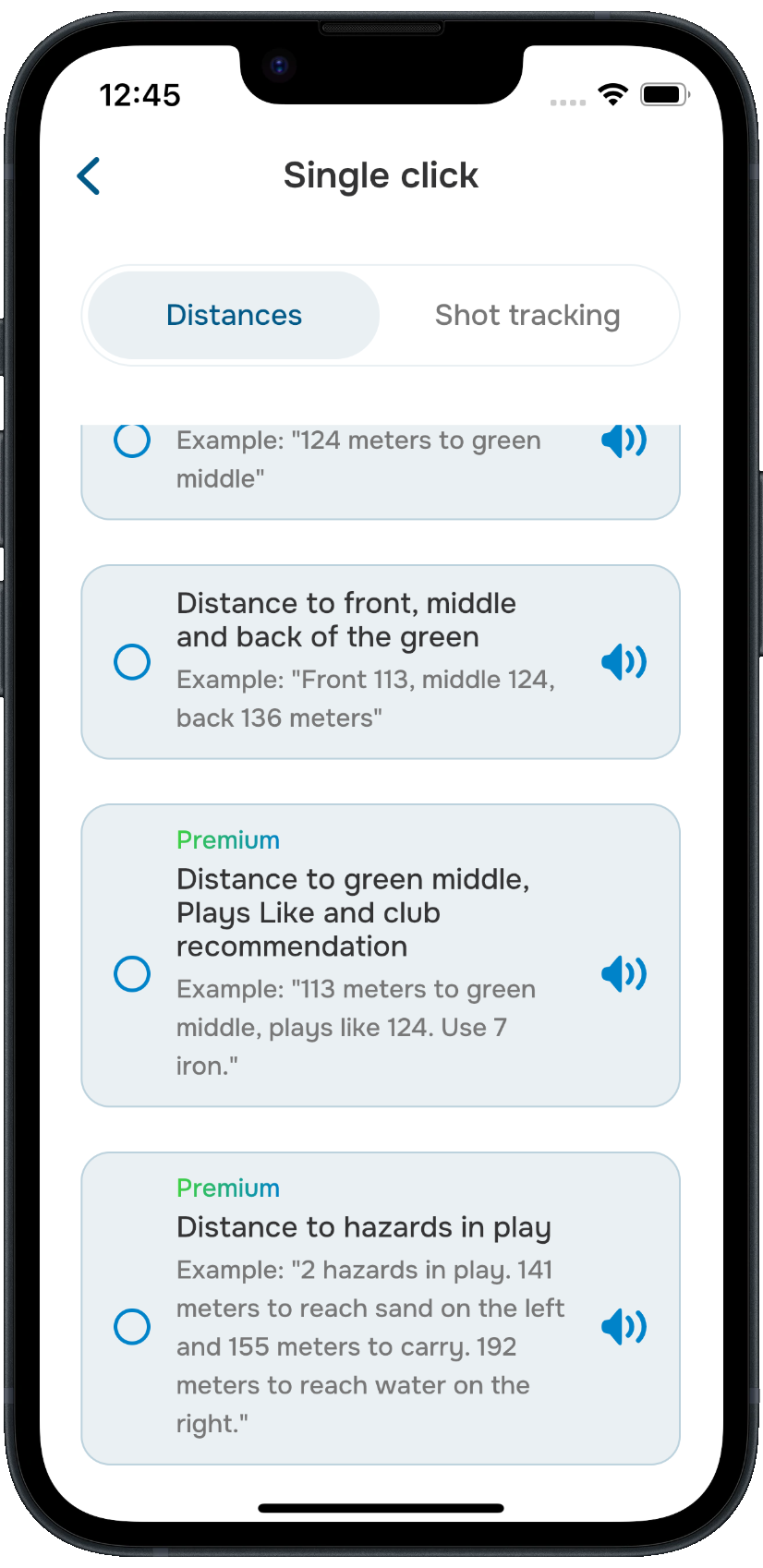
Distances:
- Distance to green middle
- Distance to front, middle and back of the green
- Distance to green middle, Plays Like and club recommendation (Premium)
- Distance to hazards in play (Premium)
Shot tracking:
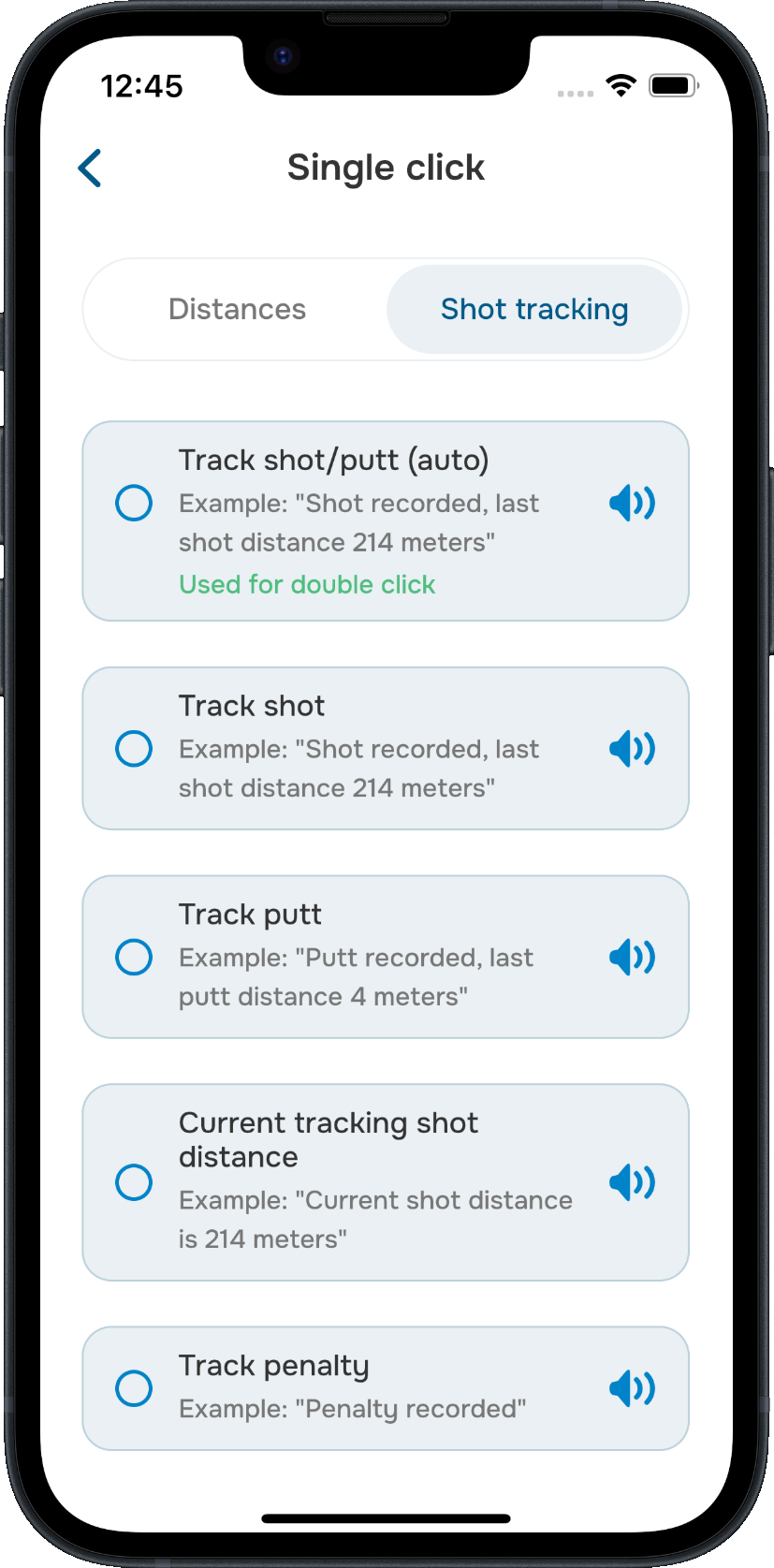
- Track shot/putt (auto): records a putt when you're on the green and a shot everywhere else
- Track shot: always records a shot
- Track putt: always records a putt
- Mark flag: records the pin's exact position, so your distances play to the real flag
- Current tracking shot distance: tells you how far you've hit the shot you're tracking
- Track penalty: adds a penalty stroke
Mark flag isn't assigned to any gesture by default. To use it, assign it to a gesture and press the button while you're standing on the green or right next to it. If you're too far away, Click will ask you to move closer to the green.
Premium actions
Three actions need Golf Pad Premium: AI Caddie Advice, the Plays Like and club recommendation distance, and Distance to hazards in play. If you choose one without Premium, you'll be offered an upgrade. Your Golf Pad Click comes with 3 months of Premium, see Golf Pad Click: About, Setup & Pairing to activate it.
More Click settings
- Automatically assign clubs (on by default): when one of your gestures tracks shots, Golf Pad matches a club to every shot you track with Click based on its distance. Turn on Compute club lengths automatically to calculate your club distances from shots you track on your phone, smartwatch or Golf Pad TAGS, or tap Club lengths to set them yourself. Clubs picked this way show an A badge in your shot list.
- Sound > Announce tracked shots (on by default): Click confirms out loud when a shot, putt, penalty or flag is recorded. Turn it off if you'd rather track quietly. Distances are always announced.
A common setup is AI Caddie Advice on single click, shot tracking on double click and green distances on triple click (that's the default), but you can mix and match however you like.
Was this article helpful?
That’s Great!
Thank you for your feedback
Sorry! We couldn't be helpful
Thank you for your feedback
Feedback sent
We appreciate your effort and will try to fix the article