If you're unable to scan a Golf Pad TAG, please try these steps:
First Step
Reboot your device. If scanning still fails, follow the troubleshooting instructions below.
For Android:
1) Verify NFC is enabled: go to Settings > Wireless & Networks > More > toggle NFC on
2) In the Golf Pad app, go to Preferences > Golf Pad TAGS, and enable Golf Pad TAGS
3) If you see a "Settings must be updated" warning, tap Edit settings and follow the instructions
4) Once all settings are correct, you should see the confirmation screen:
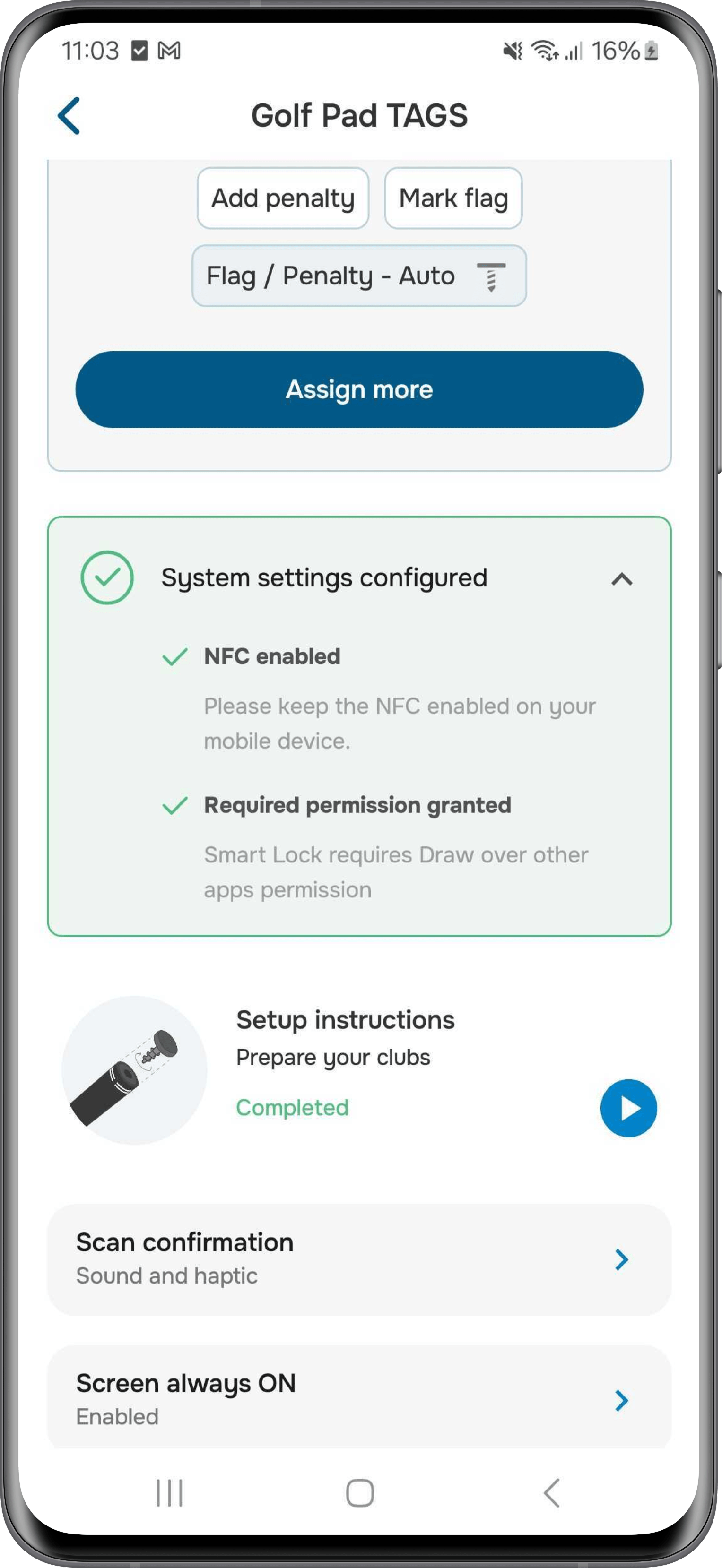
5) Go back, tap "Assign more" and scan a TAG to assign a club
Note: The NFC antenna location varies by phone model. Try scanning around the back and top edge until you find the best spot.
6) If you see an "Invalid TAG" error, tap Contact Support when prompted. This will send us the information needed to activate your TAG
7) Assign TAGS to clubs
8) Start a new round
9) (Optional step) enable pinning to prevent accidental touches by tapping the pin button at the top of the screen
10) Scan a TAG while on the scorecard screen, or simply place your phone in the pocket - a shot will be added to the scorecard
For iPhone:
1) In the Golf Pad app, go to Preferences > Golf Pad TAGS and enable Golf Pad TAGS
2) If this is your first time assigning TAGS, follow the TAG setup process. If you've previously assigned TAGS to your clubs, just tap "Assign more"
3) Scan a TAG to the top right edge of iPhone (this is where the NFC antenna is located)
4) Assign TAGS to clubs
5) Start a new round and either:
- Tap Start scanning, OR
- Simply put your phone in your pocket (scanning mode will enable automatically)
6) Scan a TAG – a shot will be added to the scorecard.
If you are still unable to scan TAGS, please open a ticket and we'll work with you to get the issue resolved.
Was this article helpful?
That’s Great!
Thank you for your feedback
Sorry! We couldn't be helpful
Thank you for your feedback
Feedback sent
We appreciate your effort and will try to fix the article